Using UTM Tags to Analyze Traffic Sources
Context (title): Using UTM Tags to Analyze Traffic Sources
We usually use Google Analytics for data analysis, which allows for some basic analysis of traffic channels, but it isn’t detailed enough. For example, if cold emails, email subscriptions, and holiday email marketing all use the same native URL for redirects, it becomes difficult to distinguish between them.
UTM tags are a very convenient tool. By adding UTM tags to the end of a link, Google Analytics can automatically analyze the traffic source. There are three UTM tags that are essential, and usually, these three are sufficient. A typical link with UTM tags looks like this: https://www.yourwebsite/com?utm_medium=email&utm_source=newsletter&utm_campaign=bfcm. The definitions of these three tags are as follows:
- utm_medium
- The top-level tag used to define the medium of the traffic
- Examples: organic, social, video, email, affiliate, cpc…
- utm_source
- Defines the source of the traffic
- Examples: google, bing, website.com, newsletter…
- utm_campaign
- The specific campaign name
- Examples: black_friday, christmas_sale…
In addition, there are other tags like utm_term and utm_content. You can refer to Google’s official documentation: https://support.google.com/analytics/answer/11242870?hl=en. There are also tools available to generate UTM-tagged links, such as https://ga-dev-tools.google/campaign-url-builder/.
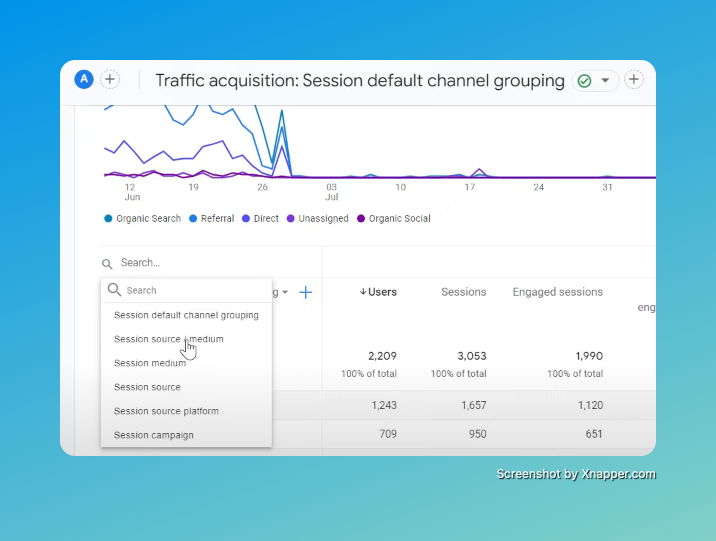
Once these tags are added, you can clearly see the conversion effect of each specific traffic channel on the Traffic Acquisition subpage in Google Analytics, which is very convenient.